Every budget pair of earbuds I have bought in the last four years was sold to me with the same three numbers: playtime, a Bluetooth version, and a waterproof rating. None of those numbers told me whether the buds would stay in my ears on mile three, whether one bud would keep working after the other died, or whether the quietest setting would still blast my eardrums at 11 p.m.
I do live sound and recording cleanup around Nashville, so the serious reference pair stays at the desk, plugged in, doing work that matters. Everything else in my day happens on a cheap pair: walks, the gym, grocery runs, phone calls from a street where a bus just went by. The gap between those two worlds is where all the frustration lives, and it is why I ended up with a test routine instead of a shopping habit.
This is the workflow I run on any pair of budget wireless earbuds for running before I trust them, plus the two cheap pairs I would hand to a friend tomorrow.
Why you should trust me
I am not a sponsored reviewer. Every pair I write about, I bought with my own money, which means I have no reason to be polite about a product that annoys me.
I have bought the same budget pair three separate times. Lost one after about a year, lost the second one after a year and change, was genuinely upset both times, and I would buy a fourth without thinking about it. I have also taken a shot on a pair I expected nothing from and had it come out ahead of my low expectations. That is the whole resume: repeat buyer, budget tier, no free samples.
I also have small ear canals that hurt easily. Every pair has hurt at some point, regardless of tip size or material. So when I say a pair is comfortable, I mean it survived my ears over weeks, not a five minute demo. That is a much lower bar than it sounds, and most cheap earbuds still fail it.
How I picked and how I tested
The two pairs below are the ones I would start with in this tier, and I picked them for design reasons I can defend rather than numbers I cannot verify.
Here is the honest part: I have not put these two specific pairs through my full two week gauntlet. What I can tell you is what each design is built to do, what the listing claims, and what to verify in your first week with them. If you want my track record, it is the routine below, run over and over on cheap pairs until the spreadsheet stopped caring about marketing copy.
The routine is the same every time. Two weeks minimum. Battery drained at the volume I actually listen at, not at half. Each bud used solo, on calls and on music. The volume floor checked at night. A walk test, then a workout test, then a long walk test. A phone call from a noisy street. And the case math done on paper, because a case recharges buds and that is all it does.
The numbers I care about are boring. Does the battery outlast my longest walk? Does the left bud work when the right one is in the case? How quiet does the quietest setting actually get? Does the bud stay seated after thirty minutes of sweating? Anything the box says beyond that is decoration.
The two pairs I would start with
Both of these sit in the same budget tier, so the choice is about shape and how you plan to use them, not about spending more.
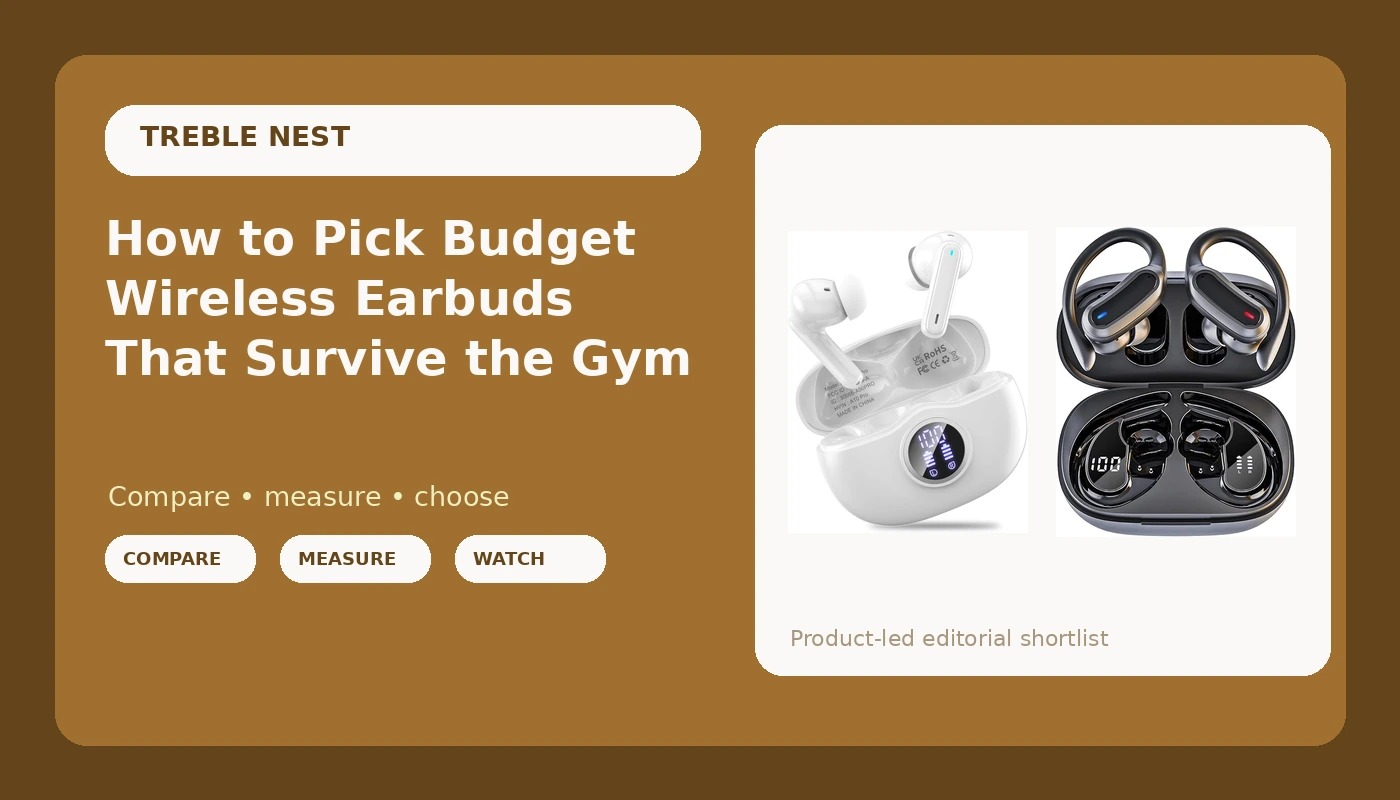
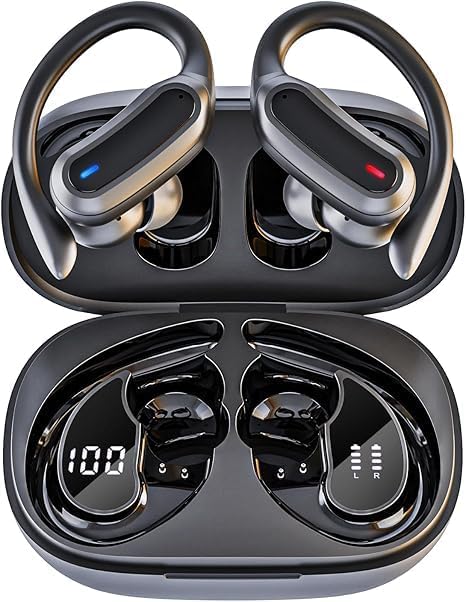
The hook pick: Wireless Earbuds Bluetooth Headphones, 54H Playtime Stereo Over Ear Buds with ENC Noise Cancelling, LED Power Display, IPX7 Waterproof Sport Earphones with Earhooks for Running/Workouts (Black)
 Visit on Amazon →
The earhook is the entire reason this pair exists. If your ears reject silicone tips, or if every bud you have owned has slowly worked its way loose on a run, a hook that wraps over the top of the ear solves a mechanical problem that no amount of tip swapping fixes. That is the shape I would hand to someone whose complaint is "they fall out," because the hook does not depend on a perfect seal to stay put.
The listing claims 54 hours of playtime, an LED power display, ENC noise cancelling on calls, and an IPX7 waterproof rating. Treat the playtime number the way you should treat every playtime number: it is the buds plus case recharges, which is recharge math wearing a costume. My version of the test is simpler. Charge everything to full, listen at your normal volume, and see when the first bud actually quits.
The LED display on the case is a genuinely useful feature for a cheap pair. Knowing whether the case is at 60 percent or 10 percent before you leave the house beats guessing.
Flaws but not dealbreakers: Earhooks are not for everyone. They put pressure above the ear, and if you wear glasses or a hat, that contact point can get annoying on a long run. Try them on a walk first.
Anyone who has lost the fit fight with standard tips, or who runs and sweats hard, should look here first.
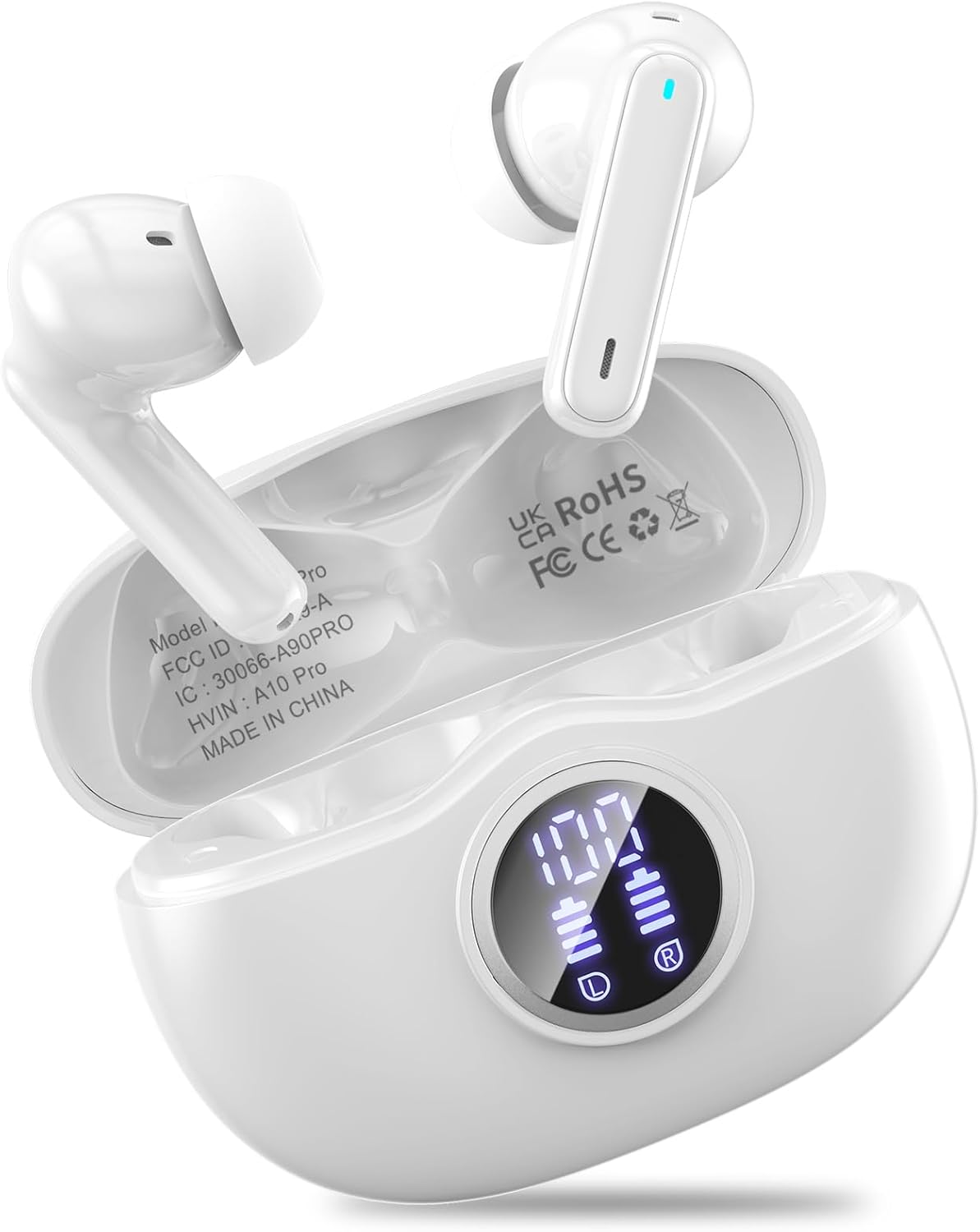
The all-day pick: Wireless earbuds, Bluetooth 5.3 Ear buds Headphones with Digital Display | 50H Long Playtime Earphones, HiFi Stereo, ENC Noise Canceling, IPX7 Waterproof for Gym/Running/Work
 Visit on Amazon →
This is the conventional shape, and conventional is not an insult. If standard in-ear buds have always worked for you, the hook version is a solution to a problem you do not have. This pair is lighter, disappears into a pocket more easily, and works with a hat or a helmet without a hook fighting the band.
The listing claims Bluetooth 5.3, 50 hours of playtime, a digital display on the case, HiFi stereo, ENC noise cancelling, and IPX7 waterproofing. Bluetooth 5.3 matters more than people think in the budget tier. Older chipsets are where the lag and the dropouts come from, the kind where your podcast stutters when your phone is in your back pocket and your body is between the two. A newer chipset does not guarantee a clean connection, but it is the right starting point, and it is the first thing I check.
The playtime claim is 50 hours with the case, same recharge math as above. The digital display gives you a percentage read rather than four blinking dots, which is the difference between planning a charge and being surprised by one.
Flaws but not dealbreakers: No earhook means fit depends entirely on tips and your ear shape. If these slide out, no firmware update will fix it.
Anyone whose ears have always accepted standard tips, and who wants one pair for the gym, the commute, and the desk, should start here.
The actual test workflow
Run this on any pair, in this order. It takes about two weeks of normal life, and it will tell you more than every review you could read in that time.
Step one: Drain the battery at your normal volume. Charge both buds and the case to full. Then listen the way you actually listen, not at half volume to make the number look good. Note when the first bud dies. That number, not the one on the box, is your real playtime. If it does not cover your longest regular outing, the pair is wrong for you no matter how good it sounds.
Step two: Use each bud alone. Take one bud out and leave the other in the case. Play music. Make a call. Then swap. Independent use is the feature I did not know I needed until I had it, and it is the first thing cheap pairs get wrong. A pair that only works with both buds in is a pair you will resent on a phone call in a parking lot.
Step three: Find the volume floor. Wait until the house is quiet and turn the volume all the way down. If the minimum setting is still loud enough to be uncomfortable, that is a dealbreaker for night listening and for anyone who shares a room. This is the single most ignored spec in the budget tier, and it is the one that ruins the most pairs for me.
Step four: Walk first, run second. Wear them on a walk before you run in them. Then a short run. Then a long one. Fit is the whole game here, and it fails on a schedule. If you are pushing a bud back in at mile two, return them while you still can.
Step five: Make a real call from a noisy street. ENC call clarity is claimed on nearly every budget listing and delivered on far fewer. Call someone who will tell you the truth, from a corner with traffic, and ask how you sound.
Step six: Do the case math on paper. A case recharges buds. That is the entire function. When a listing says a case "extends playtime," it means it holds charge and gives it back, and you should count how many full recharges it actually provides before you believe any total-hour figure.
Step seven: Check the controls and the power-on sound. Touch controls that do not respond mean you will grab your phone anyway, which defeats the point. And listen for the startup announcement. A soft chime is fine. A loud voice greeting you like an overenthusiastic receptionist is a dealbreaker, and you cannot unhear it.
The competition and why it lost
The pair I keep buying and keep losing is the one I measure everything else against, and it wins on the boring stuff: usable bass, each bud working solo, a soft power-on sound, a volume floor that goes genuinely quiet, and a case that holds a charge for weeks in a drawer. Nothing about it is exciting. It is fine, which from me is the highest praise available.
Wired headphones still sound better than any of this, and I will argue that with anyone. But the phone moved on, the adapters die, and I have a drawer full of dead connectors to prove it. Wireless is the practical reality, so the goal is not the best sound in the world. The goal is a pair that does not annoy you daily.
Open-ear buds that sit outside the canal are the other path, and they were my compromise for years. They stop the ear pain, and they also give up sound quality in a way you notice the moment a bus goes by. I got tired of pretending otherwise.
Generic no-name pairs are the real enemy. The failure pattern is always the same: lag, dropouts, battery that dies in a couple of hours, and a minimum volume loud enough to hurt. Saving a few dollars there costs you the entire point of owning earbuds.
What this all costs
Both pairs here sit in the same budget tier, within a couple of dollars of each other, so cost is not the deciding factor. Check current Amazon price on each and pick by shape.
The real math is time. Two weeks of normal listening is what it takes to know whether a pair is fine, and almost nobody does it. They open the box, listen for ten minutes, and either keep a bad pair for a year or return a good one out of impatience. The workflow above is the shortcut: drain the battery, test each bud solo, find the volume floor, walk before you run, make one honest phone call, do the case math, and check the startup sound.
That is seven checks. It is an afternoon of attention spread over two weeks, and it is the difference between gear that just works and gear that impresses on paper and annoys you every single day. Your ears will tell you the truth. Let them.