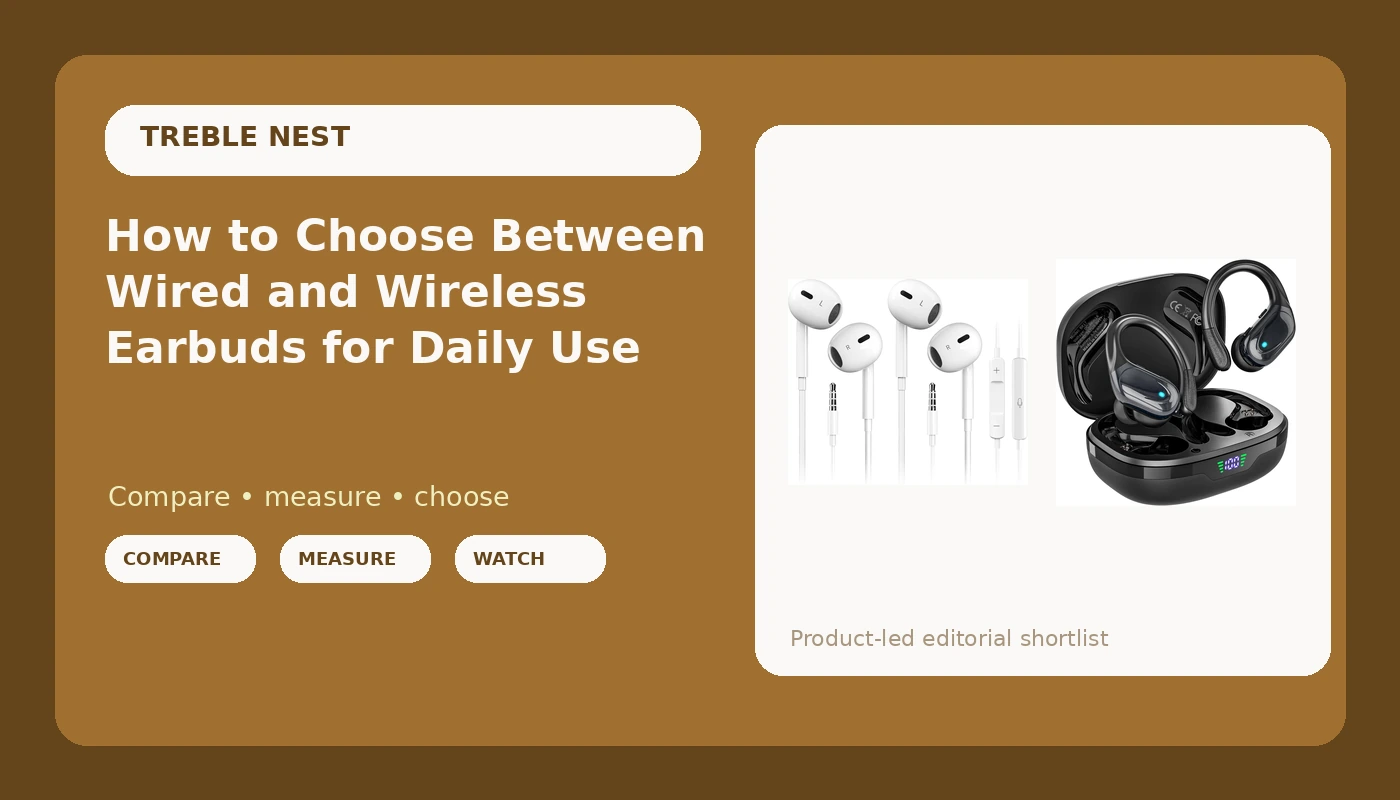
Every couple of months somebody asks me to settle the wired vs wireless earbuds argument for them, and I always want to ask a question back first: what are you doing while you listen? That answer decides almost everything, and it decides it faster than any spec sheet.
I run monitor mixes in small Nashville venues and clean up podcast audio at a desk. My reference pair is a set of Sony over-ears that cost real money and never leave the house. That is the serious listening. Everything else in my day, the walks, the gym, the grocery run, the dishes, runs through a cheap pair of earbuds, and that is where the real decisions get made. I have lost pairs, killed a drawer full of 3.5mm adapters, and bought the same budget model three separate times.
The short version: wired wins on price, latency, and the fact that it has no battery to die on you. Wireless wins on everything that involves moving your body. If you still have a headphone jack and you mostly listen at a desk, go wired and stop thinking about it. If your phone is one of the ones that killed the jack, wireless is not a compromise anymore. It is just the reality, and the budget tier is genuinely good now.
Two pairs do most of the work in this guide: a cheap wired set for desk and call duty, and a cheap wireless set for sweat and weather. Both are the kind of gear I would call fine, which from me is the highest praise the budget tier gets.
Why you should trust me
I have spent years doing live sound and recording cleanup, which means I listen to the same mix on a $400 pair of over-ears and on whatever cheap earbuds are in my pocket, and I hear exactly what the cheap pair does to it. That gap is useful information. It tells me which corners the budget tier can cut without ruining your day and which ones will annoy you every single time you put the things in.
I also have small, easily sore ear canals. Every pair hurts eventually, no matter the tip size or the material. So when I say a pair is comfortable, I mean it survived my ears, not just a reviewer's. And I buy everything myself. Nobody ships me gear, and nothing about a listing changes what I am willing to say about it.
How I picked and how I tested
This is not a list of the best earbuds in the world. It is a two-path guide, and the paths are wired and wireless. The picks below are chosen for a job, and the job is the deciding factor.
The test I run on anything I own comes down to five questions, and they are the same five whether the cable is there or not. How long does the battery actually last at normal listening volume, not at whatever volume the marketing department used? Does each bud work independently? How quiet is the quietest setting? Does it stay in during a walk or a workout without hurting my ear canals? And does it greet me with a dramatic voice announcement or a charging case that claims to extend playtime when it just recharges?
The spec sheet never answers those questions. So I do not quote box numbers as if they were measurements. If a listing says a battery figure, I tell you how to read it, and then I tell you to test it yourself.
First, answer the jack question
Before you compare anything, put your phone in its case and look at the bottom. If there is a 3.5mm round hole there, you have a real choice and you should probably take the wired one. If there is not, your choice was made for you by the manufacturer, and the only remaining question is whether you want to live on adapters.
I lived on adapters for years. I held the sound snob's position for as long as I could, and I want to be honest about how that ended: the adapters died. Not dramatically, just eventually, usually on a day I needed them. If you are going to run a dongle anyway, run it as a backup and make wireless your daily driver, because a dead adapter at the wrong moment is worse than a charging case.
The wired pick for calls and desk work
This is the path for the person who wants zero charging, zero pairing, and zero latency. Plug it in, hear it, done.
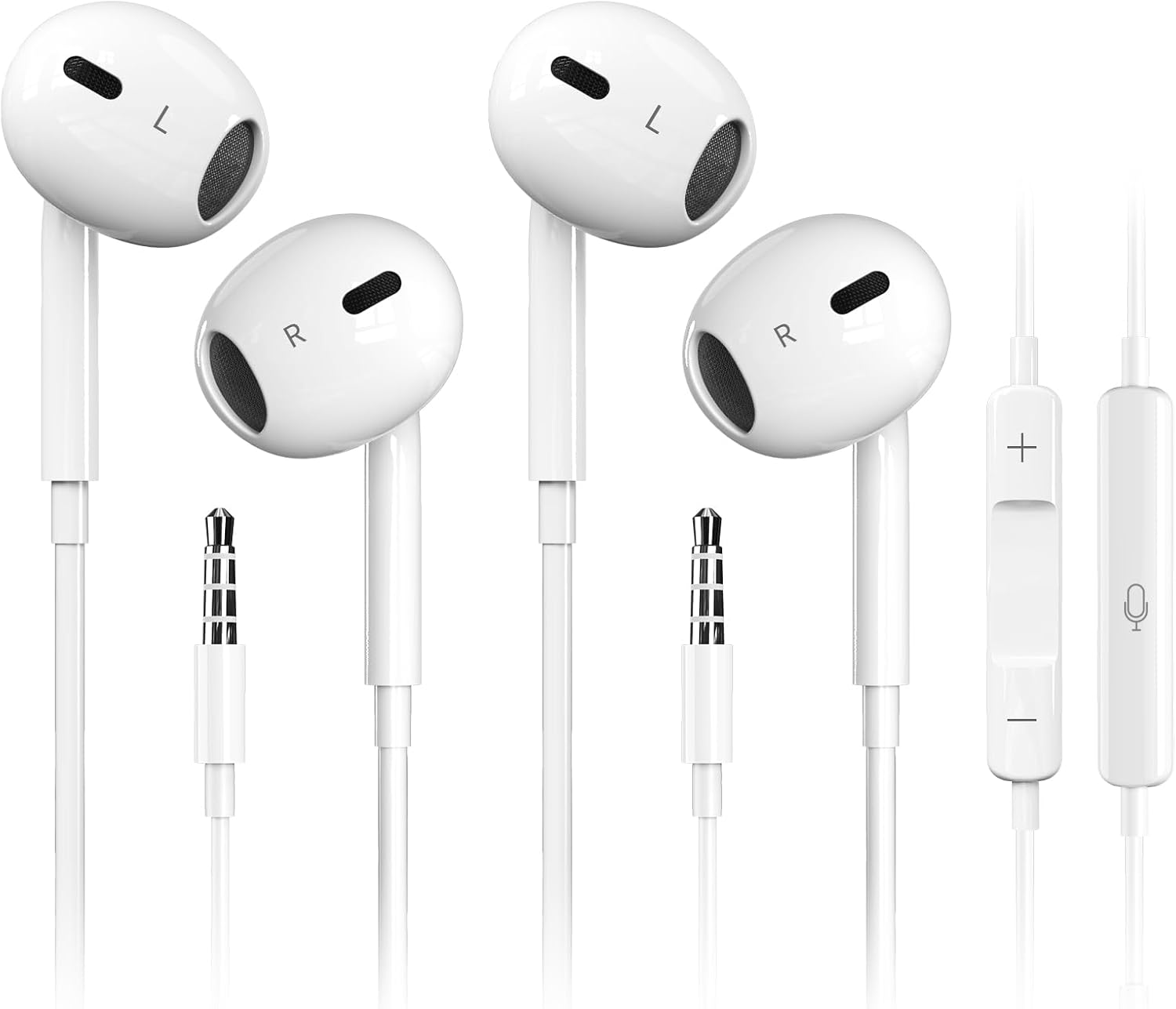
Best wired pick for calls and desk work: Antool Wired Earbuds,【Ultra Clear Calls & no Noise】 Headphones Earbuds Wired 3.5mm, in-Ear Earphones with Mic, Compatible with iPhone/iPad/Android/Laptop/PC 【2 Pack】
 Visit on Amazon →
The listing describes a 3.5mm wired in-ear set with an inline mic, sold as a two pack. That combination is exactly what desk and call duty calls for. A wired connection means there is no pairing step, no codec negotiation, and no battery that runs out at minute forty of a call you cannot reschedule.
The two pack is the detail I would point at first. I lose things. If you lose things, a spare pair in the laptop bag means a lost earbud is an inconvenience instead of an errand. That matters more than any frequency response claim in this price range.
The compatibility list covers iPhone, iPad, Android, laptop, and PC, and the honest reading of that is: it works with anything that has the right port. Plenty of phones now ship without one, and a USB-C tablet will need an adapter. Check your device before you order, not after.
Flaws but not dealbreakers: You are tethered to whatever the cable is plugged into, and cables snag on chair arms and jacket zippers. The inline mic also lives near your chest or jaw, so call clarity depends on keeping it from rubbing against fabric. Clip it to a collar if you take a lot of calls.
Anyone who works at a laptop, takes calls from a desk, or wants a pair that never needs a charge should start here.
The wireless pick for sweat and weather
This is the path for the person whose phone has no jack, whose ears get rained on, and who does not want a cable swinging against their neck at mile two.
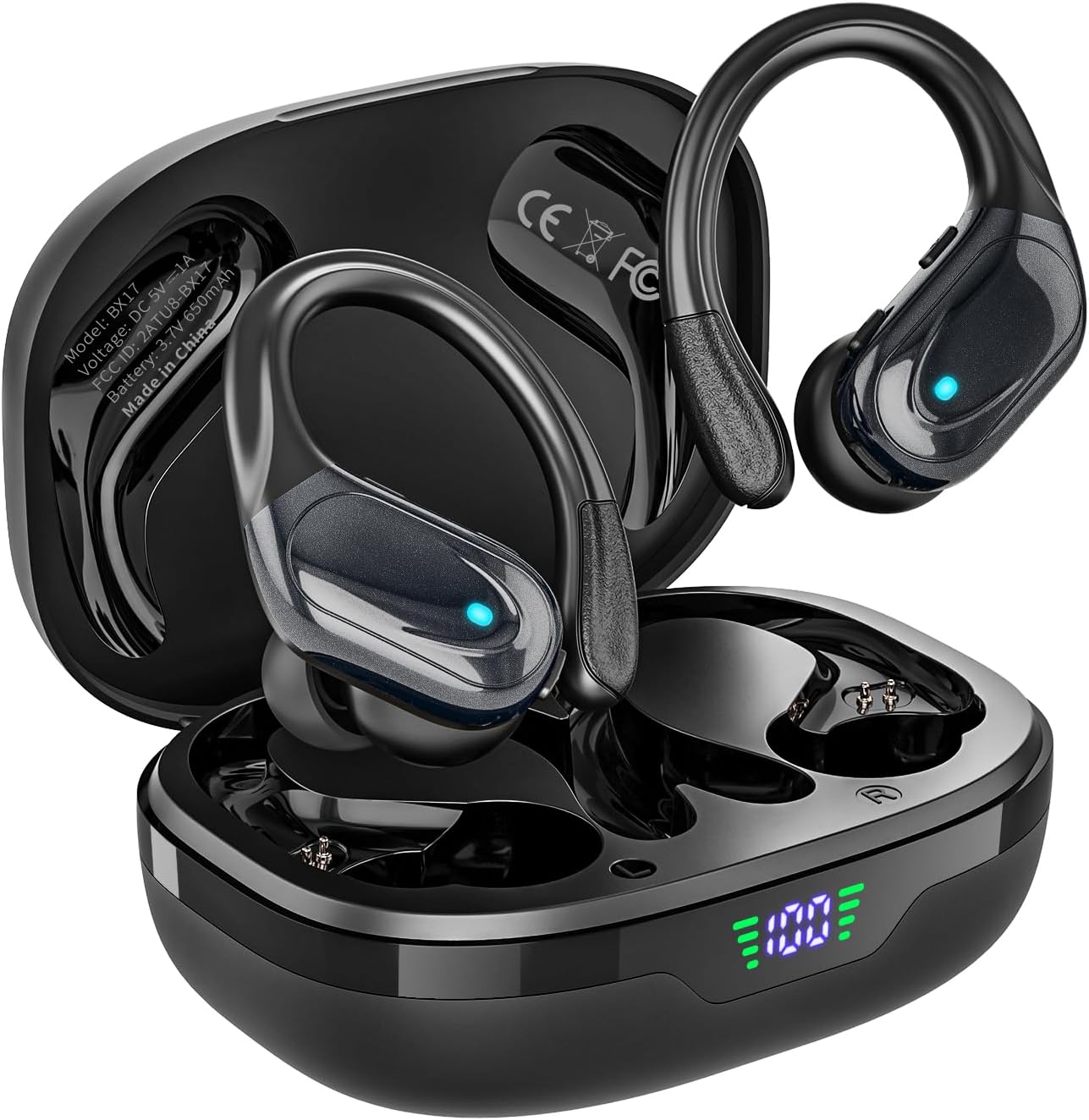
Best wireless pick for workouts and commutes: HAOYUYAN Wireless Earbuds, Sports Bluetooth Headphones, 80Hrs Playtime Ear Buds with LED Power Display, Noise Canceling Headset, IPX7 Waterproof Earphones for Workout/Running(Black)
 Visit on Amazon →
The listing describes a sports Bluetooth set with an 80-hour playtime figure, an LED power display on the case, noise canceling, and IPX7 waterproofing, in black.
Read the 80 hours the way it is meant. That is total listening time across the buds plus the case recharges, not 80 hours on a single charge. This is the exact marketing move that bothers me, where a case that recharges your buds gets described like it extends battery life into another dimension. It is a battery in a box. Useful, not magical. The LED power display is the honest part of that feature set, because it tells you where the charge actually stands instead of making you guess.
IPX7 waterproofing is the spec that matters most here. Sweat and rain are the two things that kill earbuds fastest, and a rating at that level means the occasional soaked run or a downpour on the walk home is survivable. It does not mean you should swim in them.
Noise canceling at this price is a mixed bag across the whole category, so judge it on your commute rather than on the label. What it will do is take the edge off engine drone and gym noise. What it will not do is erase a busy street.
Flaws but not dealbreakers: Bluetooth means latency, so lip sync on video can drift slightly, and any wireless pair adds a charging routine to your week. Touch controls on budget sets are also the first thing to get fussy, so be ready to grab your phone instead.
Anyone running, lifting, commuting, or working outside in weather should look here first.
The five questions to run before you buy anything
Answer these before you add anything to a cart. They apply to wired and wireless alike.
One: does your device still have the port you need? For wired, that means a 3.5mm jack or an adapter you trust. For wireless, that means Bluetooth that holds a connection while your phone is in a pocket or a bag.
Two: how long does the battery last at your normal volume? Not the box number. Charge everything, play at the volume you actually use, and note when it dies. If a pair cannot survive a full workday or a long run, it does not matter how good it sounds.
Three: does each bud work on its own? Independent use sounds like a luxury until you have it. One bud in while the other charges doubles your usable time, and it lets you keep one ear open on a street or in an office. I did not know I needed it until I had it.
Four: how quiet is the quietest setting? This is the question almost nobody asks and the one that ruins the most pairs for me. If the minimum volume is still loud enough to blast my eardrums, the pair is useless for night listening, for podcasts in a quiet room, or for anything where you want background instead of a concert.
Five: does it stay in and stay comfortable? Fit beats frequency response. If it hurts your ear canals after an hour or falls out mid-walk, nothing else about it matters. Give any new pair two weeks of real use before you decide, because the first day lies.
How to set up whichever pair you buy
Step one: get the connection right. For the wired pair, plug in and confirm both channels play before you do anything else. If one side is silent, check that the plug is fully seated, since a half-inserted 3.5mm plug is the most common cause of a dead channel. For the wireless pair, pair one bud first, confirm it plays, then bring the second one in.
Step two: sort the ear tips. Start with the size that seals without pressure. A seal that requires you to jam the tip in will hurt within twenty minutes. If none of the included sizes work, aftermarket foam tips are cheap and often fix a sore canal faster than a new pair of earbuds would.
Step three: find your volume floor. Play something quiet and walk the volume down to the minimum. If the lowest setting is still too loud, that is a real limitation, and it is better to learn it on day one than at 11 p.m.
Step four: test the mic. Call someone who will be honest with you. For the wired pair, try it with the inline mic hanging free and then clipped to a collar so you know which one sounds better. For the wireless pair, test once indoors and once on a street so you know what your callers are hearing.
Step five: log one battery cycle. Charge the wireless pair fully, use it normally, and write down the hours. Now you have a number you trust instead of a number you were sold.
Step six: build a home for them. Every pair I have lost was lost because it had no assigned pocket or case spot. A dedicated pouch in one bag solves more of this problem than any product feature will.
Where each one wins
The wired pair wins on cost of ownership, latency, and the fact that it never needs a charge. It is the pair to leave in a laptop bag, the pair to grab for a call, and the pair that will still work in five years if you do not lose it. Its weaknesses are the cable, the tether, and the fact that it cannot follow you away from the device.
The wireless pair wins on movement, weather, and convenience. It is the pair for running, the gym, the commute, and the rainy walk. Its weaknesses are the charging routine, the Bluetooth latency, and the fact that a budget battery will eventually age.
If you can only buy one and you move around a lot, buy the wireless pair. If you can only buy one and you sit at a desk, buy the wired pair. If you can buy two, you have just covered both halves of your day for less than the cost of a single mid-tier pair, and that is the move I would actually make.
What this all costs
Both picks here sit in the budget tier, so the honest math is less about the sticker than about the running cost. Wired costs you nothing to operate, but it does cost you a cable and a port. Wireless costs you charging time every week, and eventually a battery that holds less than it used to. Check current Amazon price on each listing before you decide, because budget pricing moves and the value calculation moves with it.
The two-pack wired set also changes the math in a way a single pair does not. One lost earbud does not end the purchase. That is worth more than a small difference in sound.
The bottom line
Stop treating this as a religious argument. Wired headphones still sound better than wireless, and I will say that until I am blue in the face, but I do 90 percent of my daily listening on wireless earbuds because my phone has no jack and my adapters are all dead. That is the practical reality, and you should make peace with it the way I did.
So run the five questions. Answer the jack question first, because it eliminates half your options immediately. Then buy the pair that fits the life you actually have, give it two weeks of walks and workouts and calls, and decide. Fine gear that you use every day beats impressive gear that annoys you every day. That is the whole test.